
Home Assistant
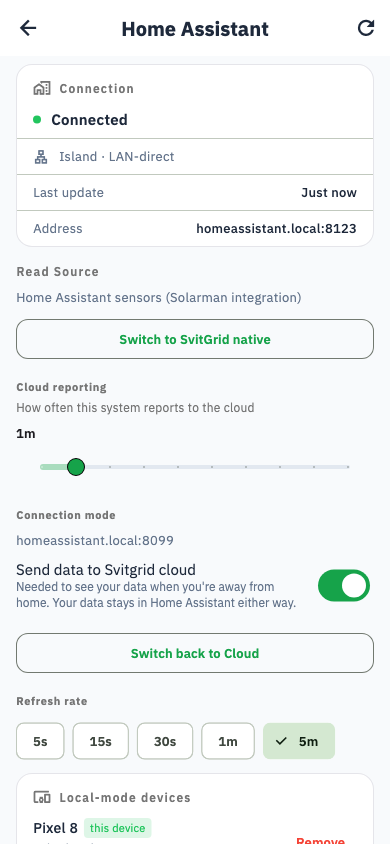
If you already run Home Assistant, it can be your collector — and it can control your inverter too.
This is a custom integration, not an add-on
Look for it under Settings → Devices & services, not under Add-ons. Older documentation and some community posts call it an add-on; that name is wrong and sends you to the wrong menu.
Installing it
- In HACS, add
https://github.com/svitgrid/home-assistant-svitgridas a custom repository of type Integration. - Install Svitgrid from HACS.
- Restart Home Assistant.
- Go to Settings → Devices & services → Add integration and choose Svitgrid.
- Follow the prompts to link it to your Svitgrid account.
Do not copy files by hand
Copying the folder into custom_components works once and then never updates itself. Installing through HACS is what keeps it current.
Keeping it updated
The integration checks for a new version every 12 hours and installs it. It never restarts in the middle of sending a command. You can switch this off under Configure → Settings.
If Svitgrid shows an "integration out of date" banner, your version is below the minimum we support — update it through HACS.
What it can do
- Read your inverter through the sensors you already have in Home Assistant, or by talking Modbus to it directly.
- Control your inverter: battery charge, work mode, solar sell, grid charge, generator force, generator port mode and export limit.
- Store data locally, in its own database, keeping about two weeks of detail and roughly two years of hourly history.
- Run your schedule locally, so events fire even with no internet.
Control works, despite what older documentation says
Earlier versions of these docs said Home Assistant was read-only. That has not been true for some time — seven control commands are supported.
Which inverters it works with
The integration ships ready-made mappings for dozens of models — Deye, Victron, Anenji/EASUN, Huawei, Solplanet, Solis and more, refreshed automatically from Svitgrid. If your model is not covered, you can map the entities yourself from the integration's options.
What it cannot do
- No Zigbee sockets or EV chargers. Those need a Svitgrid Gateway.
- No battery BMS reading. Home Assistant has no radio that Svitgrid drives; use a Gateway or your phone.