
Adding another inverter
A home can have several inverters. Add each one separately, then tell Svitgrid if they share a battery.
Open Inverter settings and scroll to the bottom. Add inverter is the last control above the danger zone.
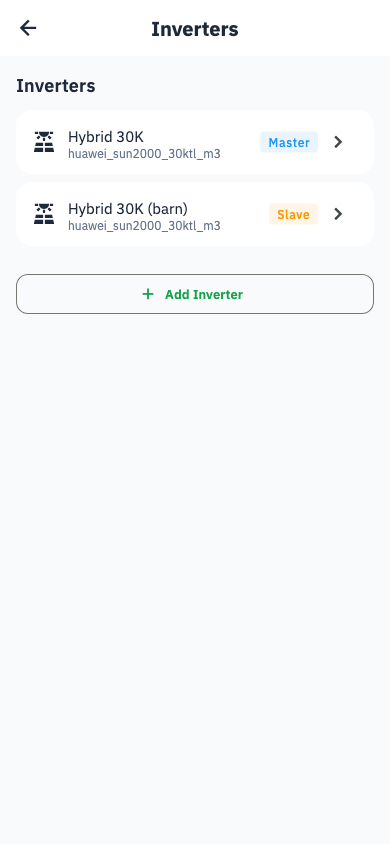
The gear on the dashboard takes you there. With one inverter it opens that inverter's settings directly; with two or more it opens the Inverters list first, and tapping an inverter opens its settings. The list has an Add inverter button of its own.
The steps
Model → Find the inverter → Battery → Panels → Review.
Shorter than the first time: the household already has a collector, so you are not asked about the connector, Wi-Fi, or your location again.
Parallel systems
If the new inverter has a battery and the household already has a same-brand inverter Svitgrid can control, a Topology step appears straight after the model — which unit is the master and which is a slave.
Shared battery banks
If two inverters are connected to one physical battery, say so in each inverter's settings. Otherwise Svitgrid counts the same battery twice and reports double your real capacity.
Home Assistant households
An inverter read through the Home Assistant add-on is added in the add-on's Configure page, not here. Add inverter says so instead of opening the wizard: the wizard sets up a phone-polled inverter, which would put the new unit on the wrong data path.
How many are allowed
Your plan sets a limit — see Plans and subscription.