
Your devices and signing keys
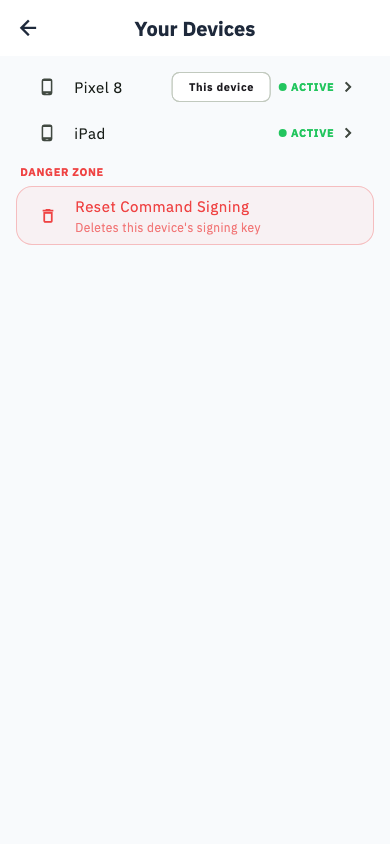
Every phone that can change your inverter carries a key. This screen lists them and lets you revoke any you no longer trust.
Settings → Your devices.
Because a command to your inverter is a real physical action, Svitgrid signs each one with a key held on the device that sent it. A phone with no key can view everything and change nothing.
Approving a new phone
When you sign in on a new device and first try to change something, Svitgrid asks you to approve that device. Confirm from a phone that is already trusted.
If your only approved phone is lost
You are not locked out
If the approved device is gone — lost, broken or sold — and it was the only one, Svitgrid emails a 6-digit code to your account address. Type it into the new phone and it becomes the approved device.
Then open this screen and revoke the old one, so a found or resold phone cannot send commands to your inverter.
Recovery clears the other trusted keys on the account, so any remaining phones must be approved again.
Device detail
Each entry shows the device name, when it was approved, and when it was last used to send a command.
Revoking
Revoke removes a device's key. It can still view your data; it can no longer change anything. Do this immediately for a lost or sold phone.
Reset all signing
Revokes every key at once, including the one on the phone you are holding. Everything must be approved again from scratch. Use it if you think a key has been compromised.