
Notifications and alerts
Svitgrid tells you when the power goes out, when it comes back, when the battery is heading for empty, and when your equipment stops answering.
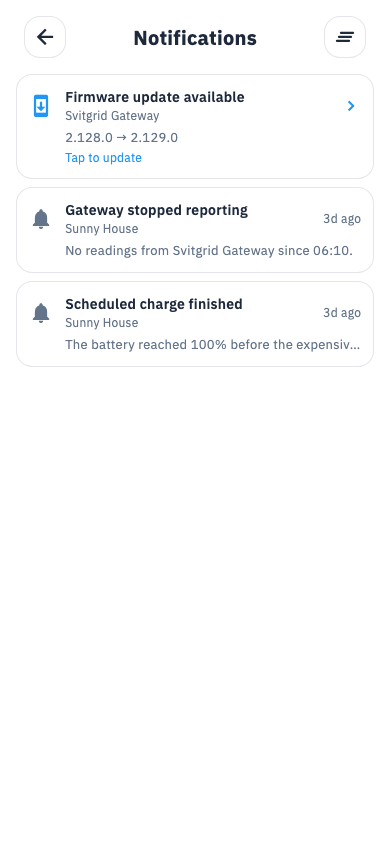
The alerts you can get
| Alert | Meaning |
|---|---|
| Power outage | The grid has gone down |
| Grid restored | It is back |
| Inverter offline | Your equipment has stopped reporting |
| Inverter unreachable | The collector cannot reach the inverter |
| Low battery / Critical battery | Charge has crossed your threshold |
| Battery full | Charging finished |
| Battery heading for empty | The forecast says you will run out |
| Inverter error | The inverter is reporting a fault |
| String offline | One panel string has stopped producing |
| Outage readiness | A scheduled blackout is coming and your battery is low |
| Scheduled event started / ended | One of your calendar events ran |
| Daily / weekly summary | A digest, off by default |
| Monthly value report | What Svitgrid was worth to you last month |
Every alert explains itself
Tapping an alert opens a page that shows the evidence — the actual battery level next to the threshold it crossed, how long the equipment has been silent, the day's total. Not a field name and a number.
Underneath is What you can do: concrete one-tap actions. A low battery on a two-zone meter, for example, offers to charge tonight instead of now, and shows you both prices before you agree.
Actions that change your inverter show you exactly what will change and ask for confirmation. Nothing is written to your equipment without you tapping to approve it.
Settings
Settings → Notifications.
- Per-category switches — mute the ones you do not care about.
- Daily summary — off by default, with a time you choose.
- Weekly summary — off by default, Mondays.
- Quiet hours — off by default, 22:00 to 07:00 when on.
- Monthly value report — on by default.
- Product updates — on by default.
Urgent alerts ignore quiet hours
A power outage, an inverter error, an offline inverter and a battery-heading-for-empty warning will still wake you. That is deliberate — those are the ones worth waking for.
Not getting notifications?
- Check the master switch in your phone's own settings, not just Svitgrid's.
- Check the category is not muted.
- Check quiet hours.
- On Android, check battery optimisation is not suspending Svitgrid.