
Huawei over RS-485
Huawei inverters with no SmartLogger and no SDongle can still be read, by wiring a Svitgrid Edge Connector to the inverter's COM port with two wires.
Most Huawei inverters are read over your network, through a SmartLogger or an SDongle. If your inverter has neither, it is not out of reach: a Svitgrid Edge Connector can be wired straight to the inverter's COM port and read it over RS-485.
You do this once, during setup. After that the connector reports on its own, day and night, whether or not your phone is nearby.
What you need
- A Svitgrid Edge Connector with an RS-485 adapter
- Two wires between the adapter and the inverter's COM port
- Your WiFi network name and password
Switch the inverter off before opening the COM port
Work inside an inverter is live-electrical work. Switch it off and follow the manufacturer's instructions. If you are not confident, have an installer do the wiring — the app side takes two minutes afterwards.
Wiring
The cable runs between the inverter's COM connector and the RJ-45 socket on your Svitgrid Edge Connector. The two use different numbering, so go by the signal, never by the pin number.
| Signal | Inverter COM pin | Svitgrid RJ-45 pin |
|---|---|---|
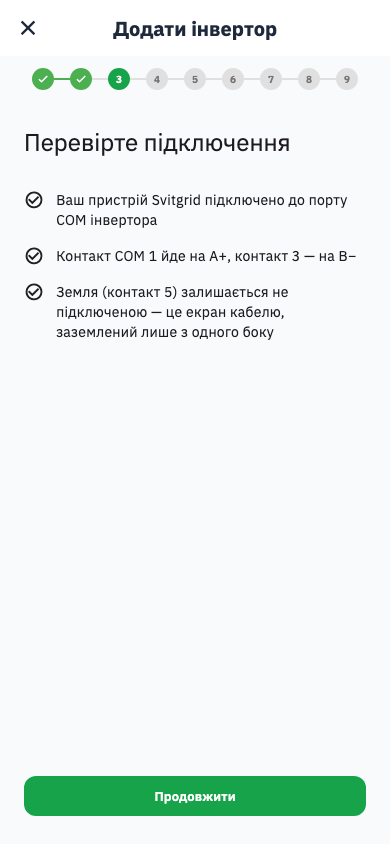
A+ | 1 | 2 |
B− | 3 | 1 |
Note the crossover: the inverter carries A+ on pin 1, the RJ-45 carries it on pin 2. Wiring "pin 1 to pin 1" gets you a reversed pair.
The rest of the socket — what pins 3 to 8 do, and the rule for earthing it — is the same for every brand: see the RJ-45 pin convention.
Swapped A and B do no harm
If nothing answers, try swapping the two wires. Reversing A+ and B− makes the bus silent — it does not damage anything.
Step by step
Create your account and household first — see Creating an account and First setup. Then add the inverter.
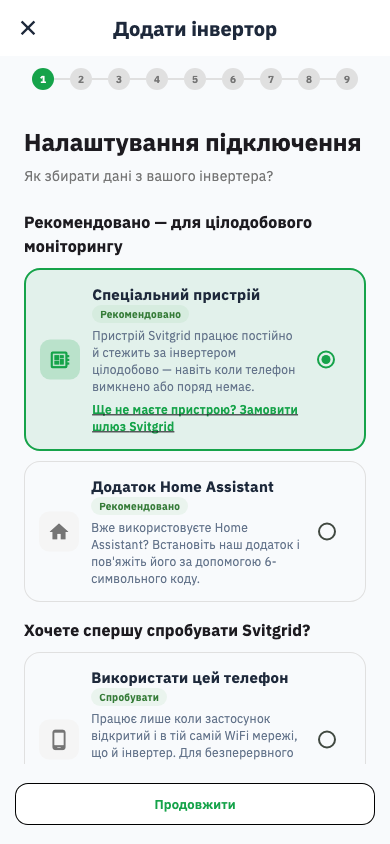
1. Choose how it will be read. Pick the edge device, not the phone.
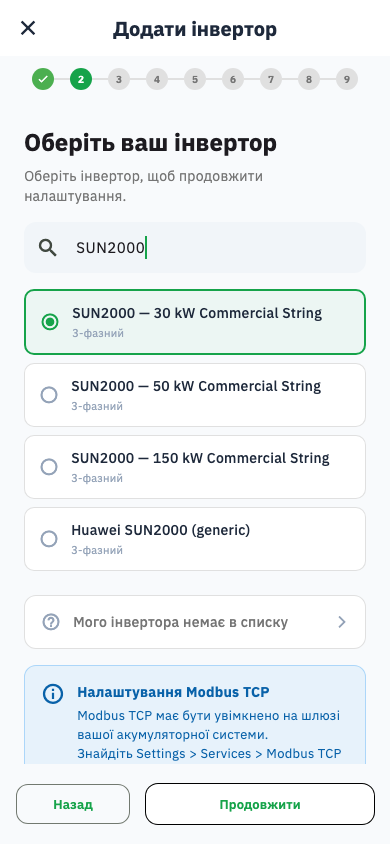
2. Pick your model. Type SUN2000 in the search box.
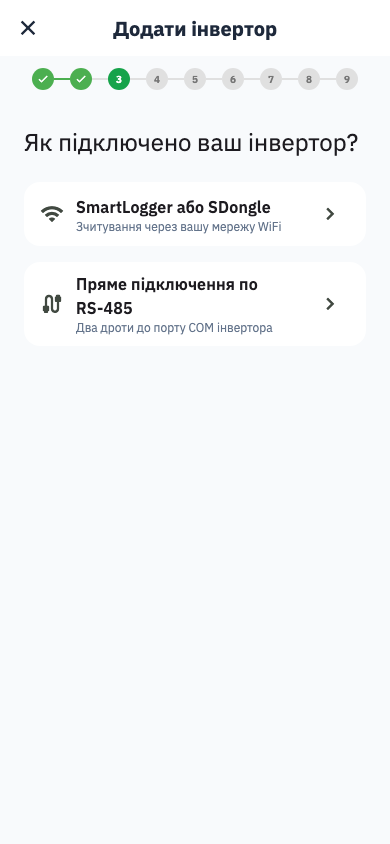
3. Choose the connection. This is the step that matters: pick direct RS-485, not SmartLogger.
4. Confirm the wiring. The checklist repeats the table above.
5. Scan the bus. Svitgrid tries every address until the inverter answers, so you do not need to know its address.
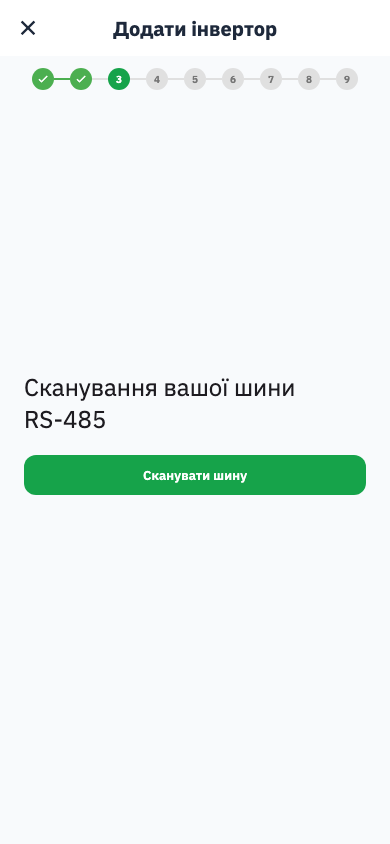
6. Confirm what it found. The address it answered at is shown; you can rename the inverter here.
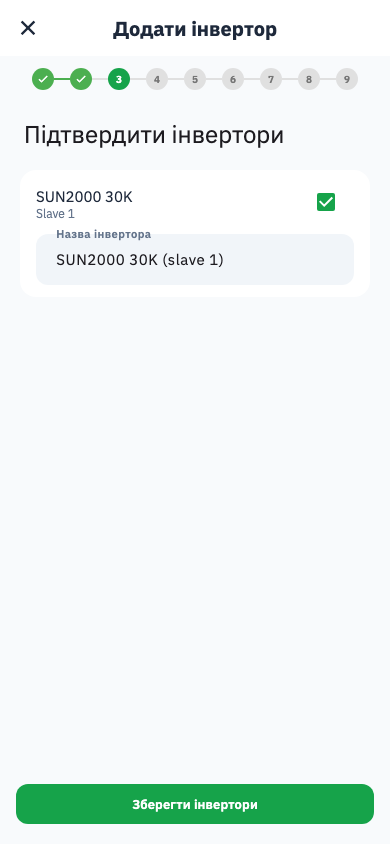
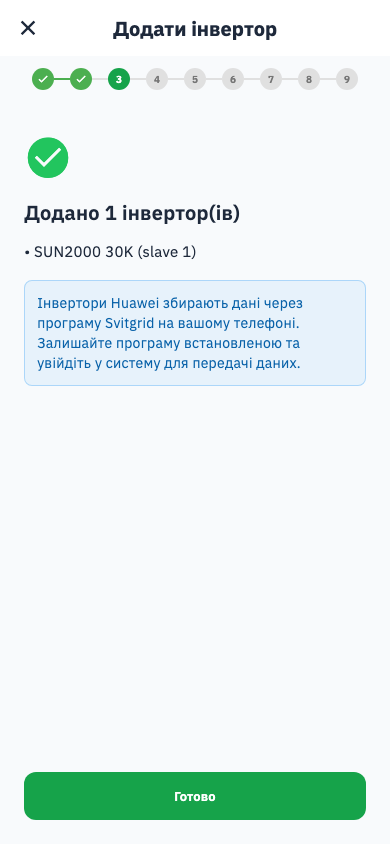
7. Saved.
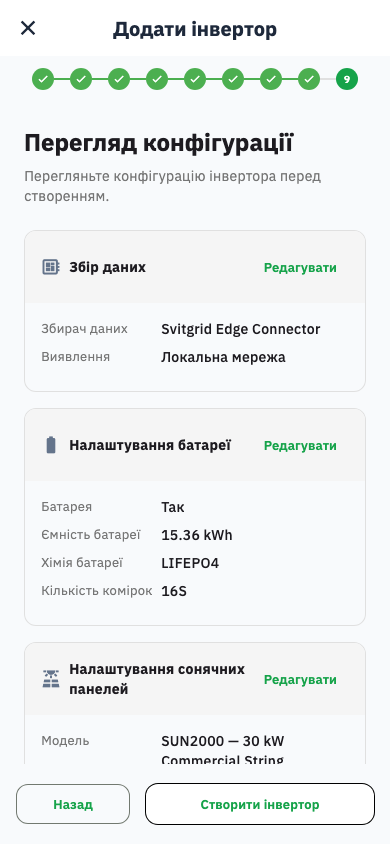
Then finish the usual steps — battery, panels, connecting the edge device over Bluetooth, WiFi, and location — and review.
When it works
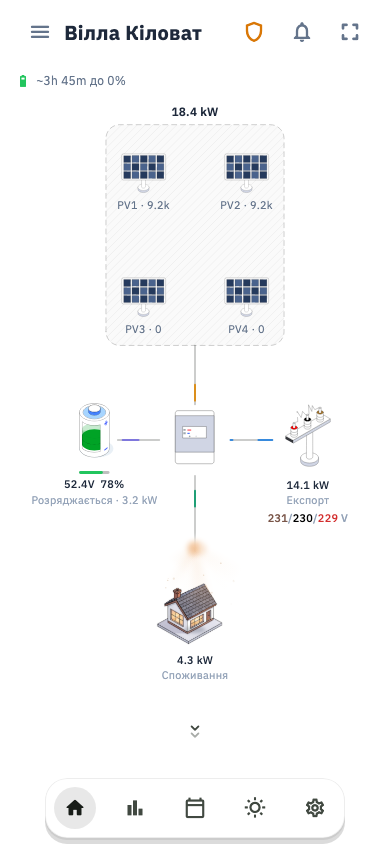
Your station appears, and the connector keeps reporting on its own.
If the scan finds nothing
The scan tries every address on the bus, so "nothing answered" almost always means the wiring, not the address.
- Swap A+ and B−. The most common cause, and harmless to try.
- Check the inverter is on. A powered-down inverter cannot answer.
- Check pin 5 is not connected. Earthing the shield at both ends can silence the bus.
- Check the adapter has power.
Which Huawei models this covers
Any Huawei inverter that exposes a Modbus RTU COM port — the SUN2000 range included. If your model is not in the picker, tell us through Settings → Help; adding a model is usually quick once we have one register dump.