
Profile and security
Your name, your email, your password, and the switch that adds a second step at sign-in.
Settings → Account.
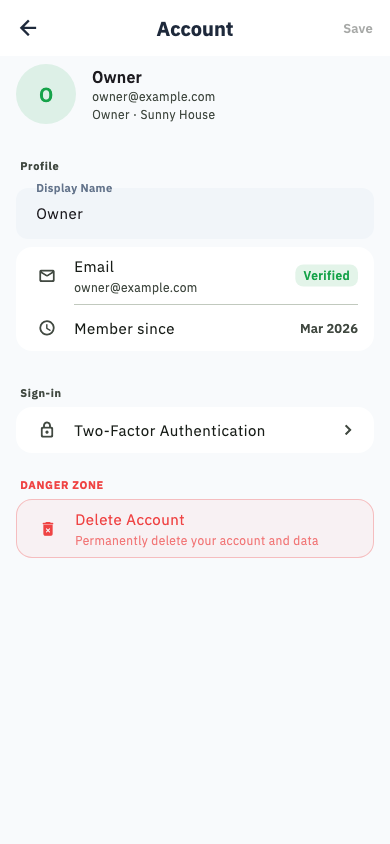
Edit your profile
Name, email address and photo. Changing your email requires confirming the new address.
Change your password
Under Security. You need your current password.
Two-factor authentication
Also under Security. Once on, signing in needs a code from your authenticator app as well as your password.
Keep your recovery codes
Save them somewhere that is not your phone. If you lose your authenticator and your codes, nobody can restore access for you.
Delete your account
At the bottom of the Account screen, in the danger zone.
What happens to each of your homes depends on whether anyone else is in it:
- Homes where you are the only member are detached, exactly as described under Household settings — unreachable, anonymised, hardware access revoked.
- Homes shared with other people carry on without you. Ownership passes automatically to whoever has been a member the longest, and they keep the history, the equipment and the settings.
Households you were only invited to are unaffected — you are simply removed from them.
Handing a home over deliberately
If you want a specific person to take over rather than the longest-standing member, make them a member first and transfer ownership to them before deleting your account.
There is no undo
Neither your account nor your homes can be restored afterwards. If you only want to stop paying, cancel the subscription in the App Store or Google Play instead — your data stays where it is.