
Anenji, and the SmartESS collector
An Anenji inverter is not found by scanning — its WiFi collector dials your phone. You pick it from a list and tick it.
Most inverters wait to be found: Svitgrid scans your network and knocks on an address. Anenji works the other way round. The SmartESS WiFi collector plugged into the inverter reaches out and connects to your phone.
That changes what you see during setup. There is no network scan, no IP address to type, and no data-logger serial — because there is no data logger. Instead you get a list of the collectors that have called in, and you tick the one you are adding.
Before you start
- The collector plugged into the inverter, with its LED on
- Your phone on the same WiFi network as the collector
- The Svitgrid app open and left in the foreground while you set up
Both on the same network, and stay in the app
The collector can only reach a phone it shares a network with. Mobile data alone will not do, and neither will a guest network that isolates devices from each other. Leave the app open on this step — if you switch away, the phone stops listening and nothing arrives.
Step by step
Create your account and household first — see Creating an account and First setup. Then add the inverter.
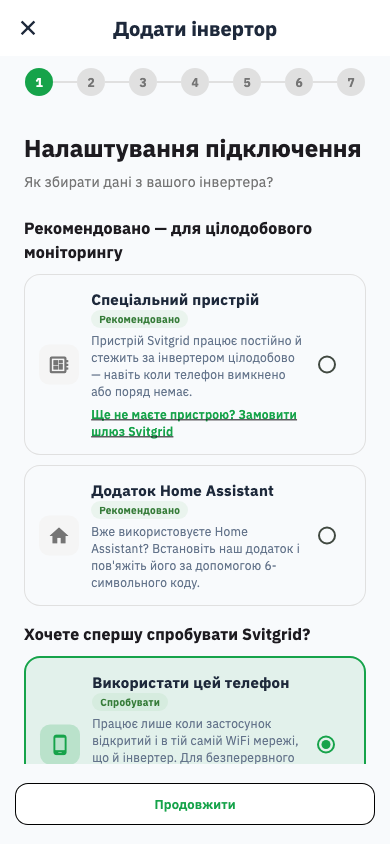
1. Choose how it will be read. Pick this phone. The collector connects to the app, so the phone is what receives the data.
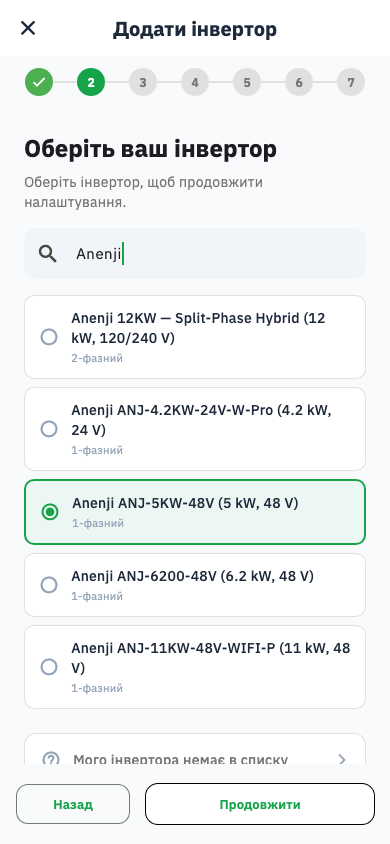
2. Pick your model. Type Anenji in the search box.
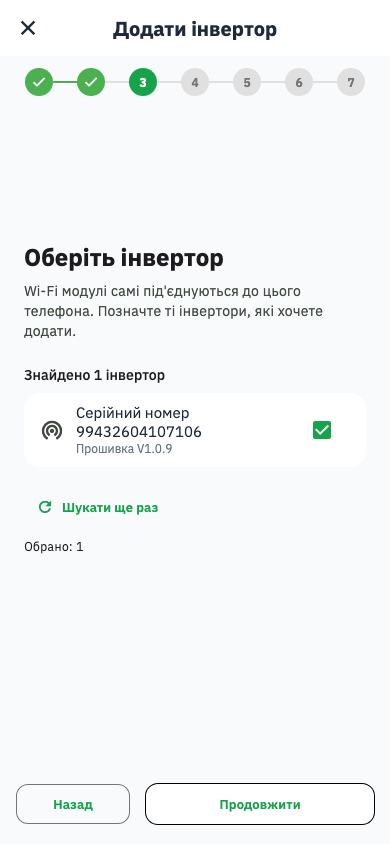
3. Wait for the collector to call in. This is the step that is different: nothing is scanned. When the collector connects it appears with its serial number — tick it and continue.
Then finish the usual steps — battery, panels, location — and review.
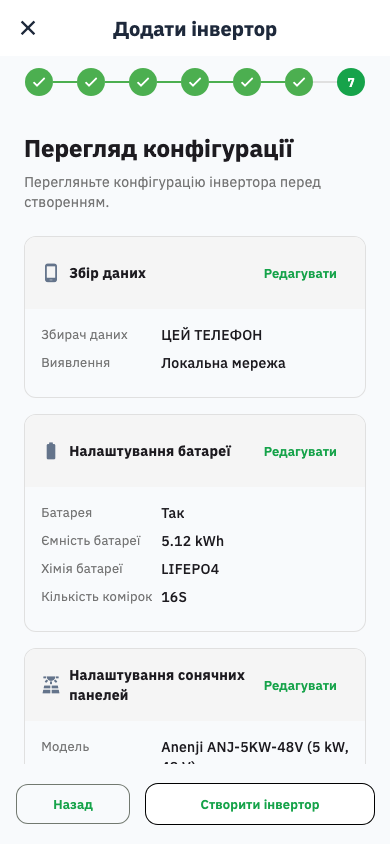
When it works
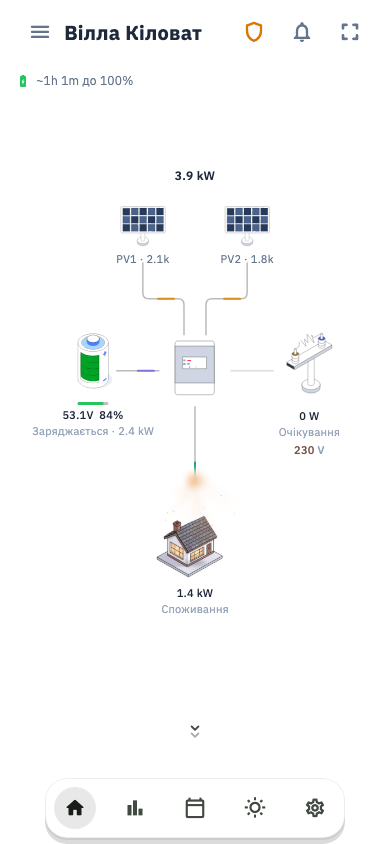
Your station appears, and the app keeps receiving while it is open.
If no collector appears
The list stays empty until a collector actually connects, so an empty list nearly always means the two are not on the same network.
- Check the phone's WiFi. Not mobile data, and not a different network from the collector.
- Check the collector's LED. No light, no connection.
- Try a normal home network. Guest networks and some office networks stop devices talking to each other, which is exactly what this needs.
- Give it a moment. The collector connects, identifies itself and settles over several cycles. Svitgrid runs more than one pass before giving up.
- Stay on the screen. Leaving the app stops the phone listening.
Why the serial matters when you have two
One collector is unambiguous, so the serial is only shown for confirmation. With two inverters on one network, the serial is what tells them apart — it is printed on the collector and reported by it, so the number on the screen should match the number on the device.