
Version 1.0.245
20 ottobre 2026
This release is in the App Store and on Google Play. On iPhone it also brings the fixes of 1.0.244, which was released only on Google Play. The screenshots are from the Ukrainian app; every screen is available in all 11 app languages.
Rules
Hours without power
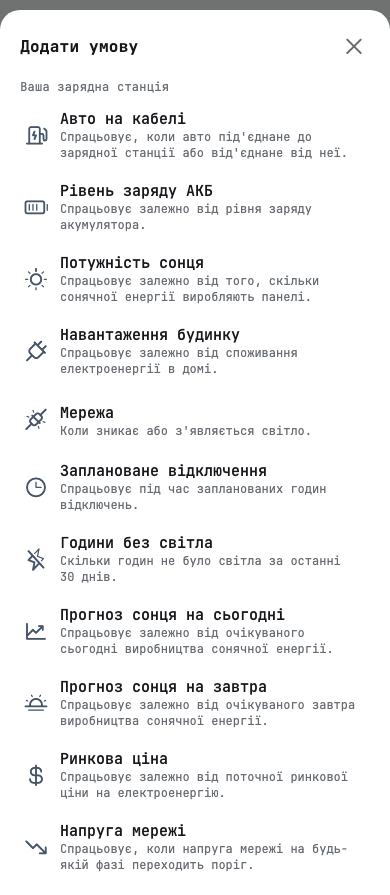
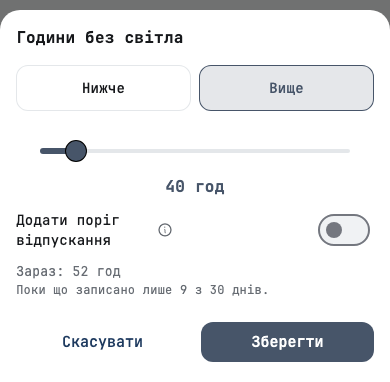
A new rule condition, Години без світла, counts the hours your inverter was without grid power over the last 30 days. You set a threshold, such as «40 год і вище», and the rule acts while the count is above or below it.
Use it to charge the battery from the grid at night while outages are frequent, and to stop once the grid becomes reliable again. The editor shows the current count for your inverter under the slider, so you choose a threshold against a real number.
The count starts from the outages Svitgrid has recorded. Until 11 November 2026 it covers fewer than 30 days, and the editor says so.
Rules for each inverter
A station with two or more inverters that run separately can now have rules on each of them. Before, rules acted on the first inverter only.
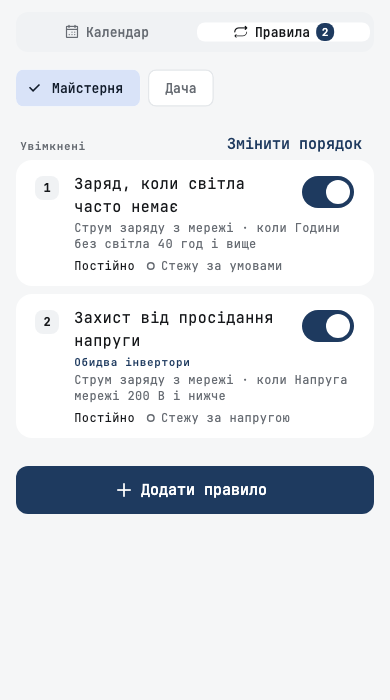
- The Rules tab has a chip for each inverter. Each inverter has its own list of rules, in its own order.
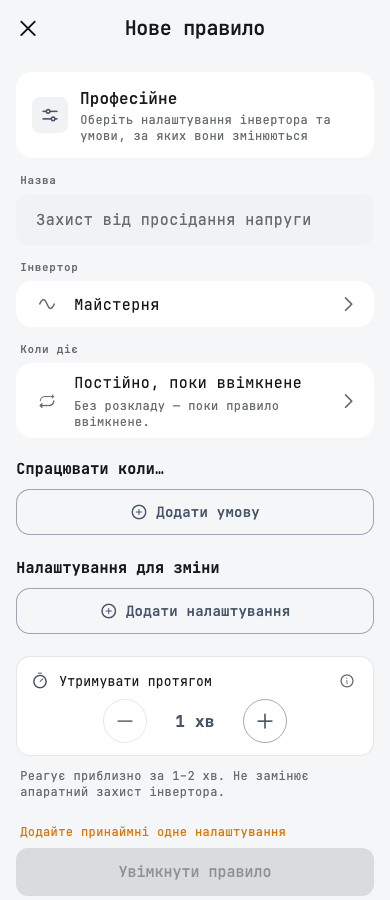
- The rule screen has an Інвертор row. A new rule starts on the inverter the tab shows. Choose Усі інвертори to create the rule on every inverter at once.
- A rule created on all inverters is edited and deleted as one rule. Its card says Обидва інвертори, or how many inverters it is on.
Inverters that work as a master and a slave count as one inverter, and the app shows no choice for them.
A car on the charger
A household with an Eveus charger gets a new condition, Авто на кабелі. It triggers when a car is plugged in to the charger, or unplugged from it. When the car is unplugged, the charger returns to the state it was in before the rule.
If the charger has not been in touch for more than 10 minutes, the rule does not start, and a rule that is already running does not stop.
Other changes
- Your own rule groups stay together in the priority order.
- An event that names a removed smart device shows «Невідомий пристрій», not the device's ID.
- An Eveus charger with no car does not offer to pause charging, and a charger that has stopped reporting is not shown as charging.
Boards
Hand an inverter from the phone to a board
If your phone collects your inverter's data and you add an ED-1 board, the board can take the inverter over. The board first checks that it can reach the inverter. Your phone stops collecting data only after the check passes. If the board cannot reach the inverter, nothing changes.
You can also give an inverter back to your phone, without removing the board.
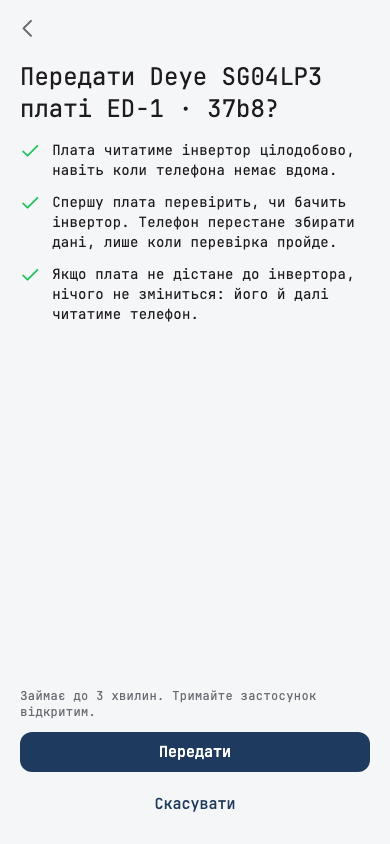
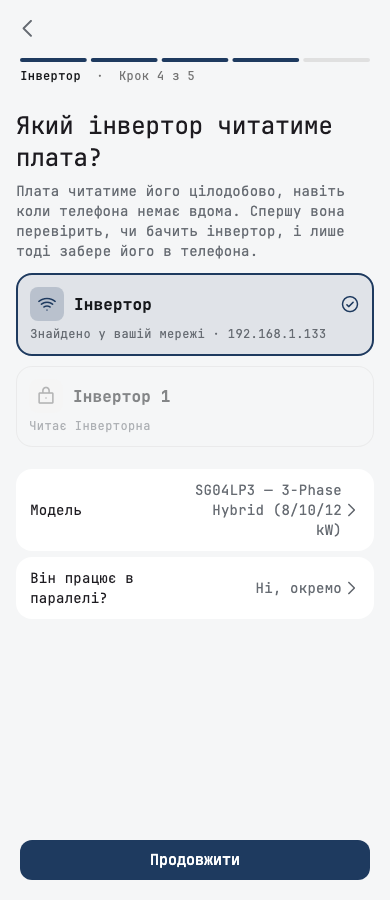
Adding a board
- When you add a board, you choose which inverter it reads. Inverters another board already reads are marked.
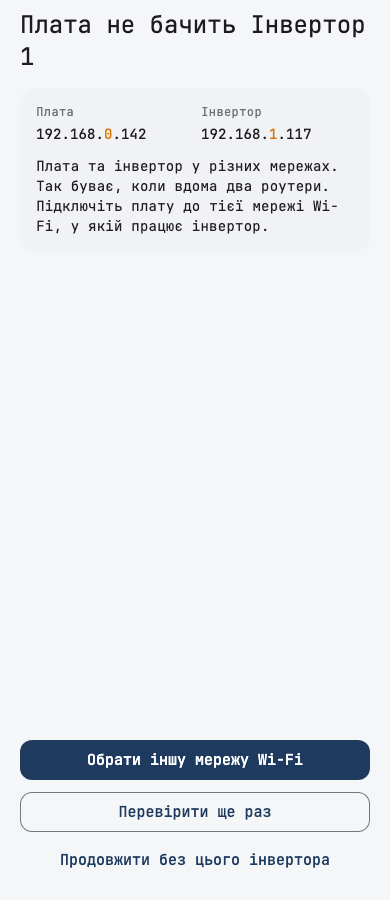
- The board checks that it can reach each network inverter before setup continues. If the board and the inverter are on different networks, the app shows both addresses and offers to pick another Wi-Fi network.
- A board that reads no inverter asks you to confirm.
- If the board cannot join Wi-Fi, setup names the reason and does not repeat a retry that cannot work.
Finding an inverter
- The search for an inverter on your home network no longer stops after a network error, and it asks the network three times.
- When the search finds an inverter, it also offers the search by serial number, in case it found a different one.
Batteries
When the protocol does not fit
If a battery answers but its numbers do not add up, the battery page says that the protocol does not fit. When another protocol fits, the page offers to switch to it in one tap.
A battery that your phone reads can now switch protocol too. If the phone cannot connect to the battery, the page says why.
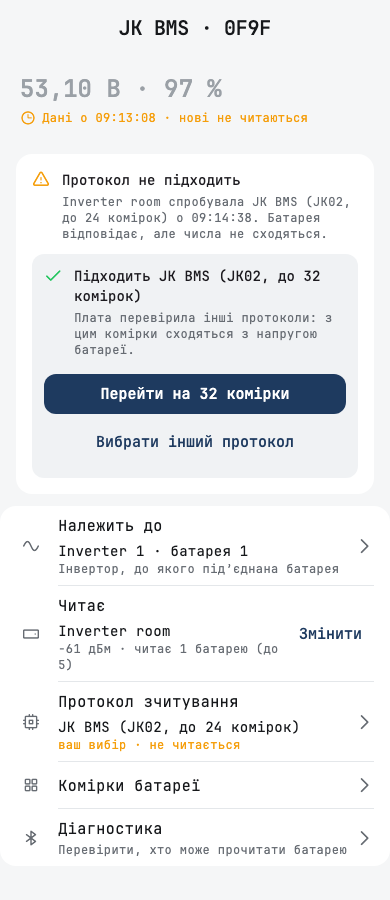
Battery diagnostics
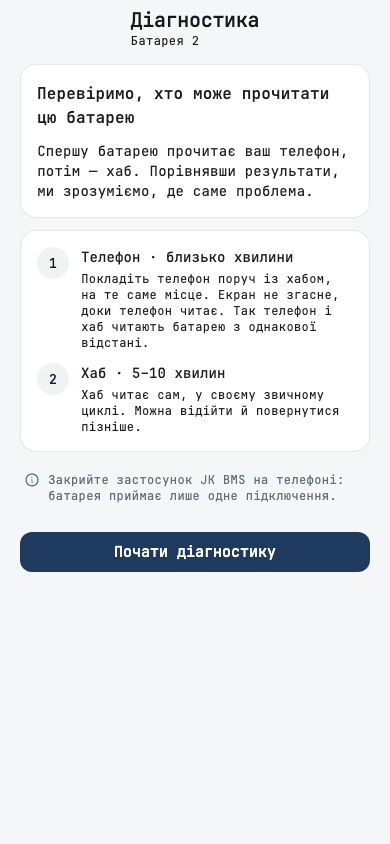
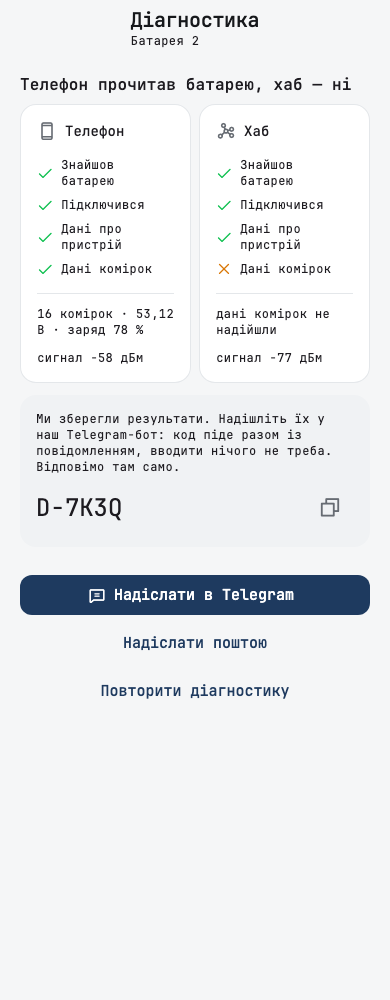
Діагностика on a battery's page checks who can read the battery. First your phone reads it, then the hub. The result compares the two step by step and gives you a code. Send it to our Telegram bot or by email, and we reply there.
Home screen and widget
- The home-screen widget has a new design and shows whether the grid is present.
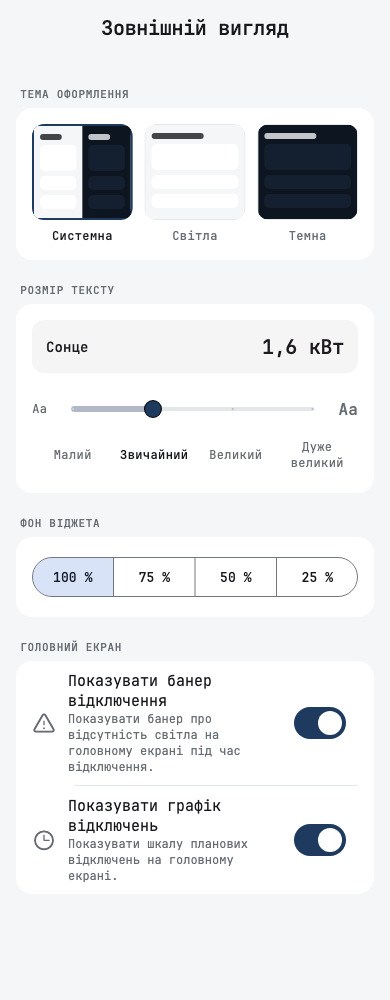
- Фон віджета in Appearance sets how see-through the widget's background is.
- The outage schedule banner is always shown. To hide it, turn off Показувати банер відключення in Appearance.
Outages and charts
- A tap on an event in the calendar goes through an outage hour.
- A possible outage hour no longer carries a confirmed-outage note.
- The grid voltage chart labels only its gridlines.
- On the battery chart, the lowest point and the 100 % labels no longer overlap.
Smaller fixes
- Settings rows keep their titles readable at large text sizes.
- On review screens, every value, arrow and switch lines up at one right edge.