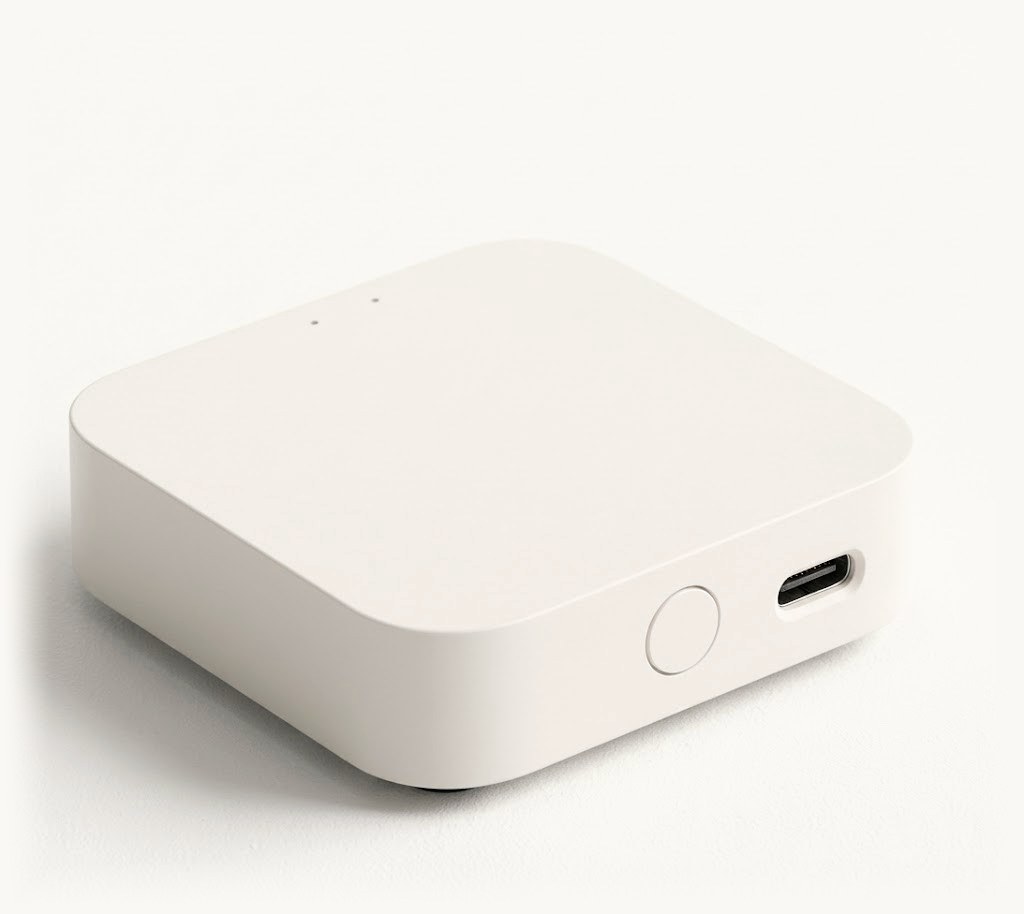
Wi-Fi + cable
Svitgrid ED-1.1
Connects to your inverter with a cable, so it does not need the Wi-Fi module at all. Buy this one when there is no wireless way in.
- Works on an inverter that has no Wi-Fi module at all.
- Works when the module is there but has stopped sending data.
- Everything ED-1 does: readings from anywhere, gap-free history, schedules.
You may not need the cable. If your inverter has a Wi-Fi module, check whether ED-1 is enough: it costs 999 ₴ and needs no wiring. Set up your station in the Svitgrid app with your phone as the collector. If the phone shows live readings, ED-1 will work. How to check in 10 minutes.
Made to order · ships in 5–7 working days
- Nova Poshta delivery
- Branch, parcel locker or courier · at Nova Poshta rates
- Payment
- Cash on delivery, or prepayment to a card or IBAN
Free updates for life · Ships from Ukraine 🇺🇦 · 14-day return
The app needs a paid plan. The price above buys the hardware; the subscription is separate and starts at $2/month. You buy the plan inside the Svitgrid app, not on this site — open Svitgrid on your phone and choose a plan there. See plans.
You do not have to buy hardware at all — Svitgrid can also collect from your phone or from a Home Assistant install. Compare the four ways to collect.
When you need it
In the app all three look the same: nothing arrives. The Wi-Fi module stopped sharing data with your own network after an update. Or the inverter never had a module — plenty are sold without one. Or the module is busy sending to the manufacturer’s own cloud and has nothing left for anyone else. A cable gets past all three, because it asks the module for nothing and talks to the inverter directly.
What the install involves
One cable, from the board to the communication socket on your inverter. If you have not done this before, ask your installer — it is fifteen minutes for them. Everything they need is further down this page.
Every one of these is built by hand
There is no production line behind this board yet. Each one is assembled, wired and tested on its own — that is why it takes a day, and why it costs more than the Wi-Fi board.
Technical detail
Specifications
| Reads the inverter | By cable, straight from the inverter — or over your network |
| Cable to the inverter | RJ-45 · how to wire it |
| Power | USB-C, 5V (an ordinary phone charger) |
| Network | WiFi 2.4 GHz + Bluetooth LE |
| Setup | Bluetooth pairing in the Svitgrid app |
| Serial link | RS-485, Modbus RTU, 9600 8N1 |
| Processor | ESP32-S3 |
| Smart home radio | ESP32-H2 (Zigbee 3.0) |
| Updates | Installed automatically, and undone by itself if one fails |
| microSD slot | Optional, +200 ₴ · card not included · FAT32, up to 32 GB |
| Assembly | Built by hand to order · 1 day |
| In the box | ED-1.1 + USB-C cable |
| Warranty | 12 months |
What it does
- Reads the inverter by cable, with no Wi-Fi module involved
- Reads the inverter every 5 seconds
- Sends data to the cloud without stopping
- Runs your schedules on time
- Controls Zigbee smart devices
- Undoes a failed update by itself
For your installer
Everything needed to wire it. Skip this if somebody else is doing the install.
Wiring
An RJ-45 lead to the inverter’s communication port. Go by the signal, never the pin number, and read the pin convention before crimping anything. Reversed A and B breaks nothing — the bus simply goes quiet, with nothing in any log to say why.
What we have tested
Our first Deye is connected and reporting — but we have not yet checked a full day of its readings against the inverter’s own daily counters, so we say it works rather than it is proven. The compatibility page lists every inverter the board reads by cable. The full story is here.
Support
Questions or a problem with your gateway? We're on Telegram.
Write to the Svitgrid group. We read every message and answer fast: the bot sees your station through the diagnostic code from the app, so the conversation starts from data, not from clarifying questions.
We value people who report problems. A confirmed bug earns points, and points pay for your subscription.
The other board
If your inverter already shows up in its manufacturer’s app over your network, the Wi-Fi board is cheaper and simpler.