Wi-Fi
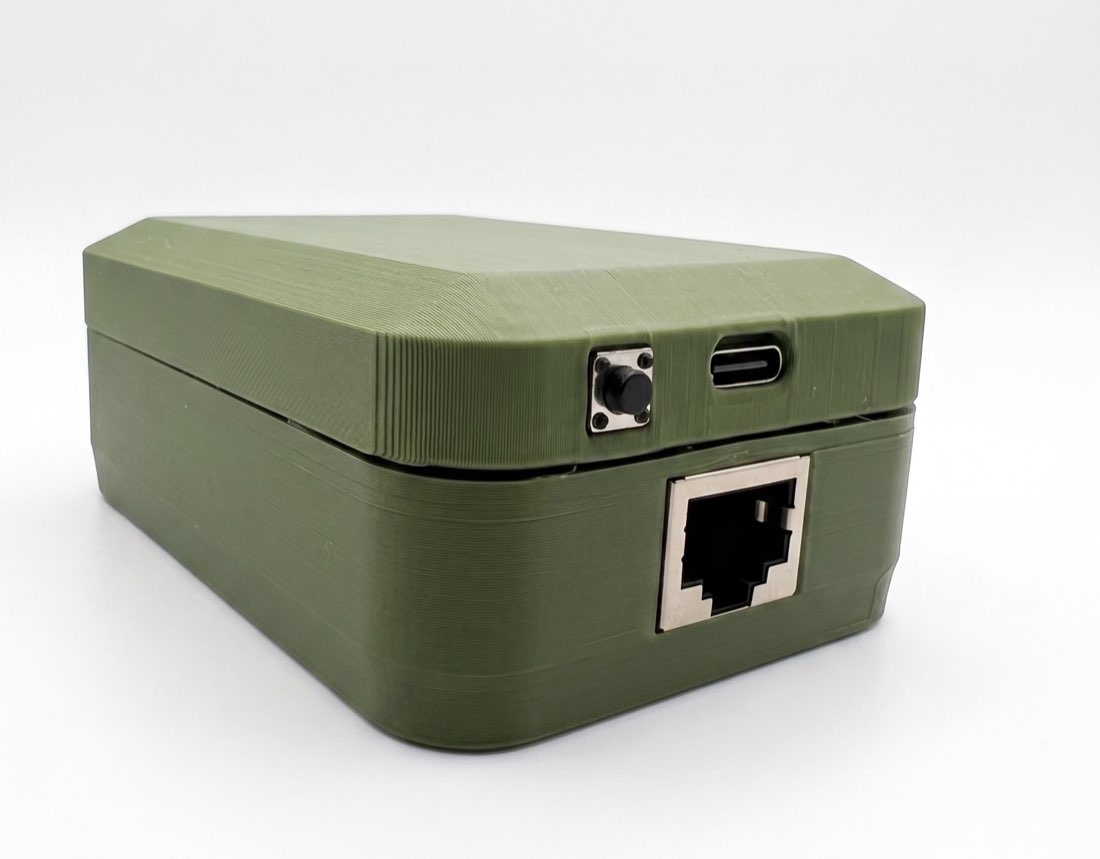
Svitgrid ED-1
Reads your inverter through the small Wi-Fi module already fitted to it. Nothing to wire — you plug it in and that is the install.
- See your system from anywhere, not only at home on your own Wi-Fi.
- History with no gaps, even overnight and with your phone switched off.
- Charge and discharge schedules run on their own, whether you are there or not.
Check that ED-1 will work before you buy. ED-1 reads the inverter through its Wi-Fi module, and some modules, including recent Deye ones, refuse every connection from your home network. Set up your station in the Svitgrid app with your phone as the collector: if the phone shows live readings, ED-1 will work too. How to check in 10 minutes. If the phone cannot read the inverter, choose ED-1.1 — it connects to the inverter by cable. See the list of supported inverters.
In stock · ships in 1–2 working days
999₴
- Nova Poshta delivery
- Branch, parcel locker or courier · at Nova Poshta rates
- Payment
- Cash on delivery, or prepayment to a card or IBAN
Free updates for life · Ships from Ukraine 🇺🇦 · 14-day return
The app needs a paid plan. The price above buys the hardware; the subscription is separate and starts at $2/month. You buy the plan inside the Svitgrid app, not on this site — open Svitgrid on your phone and choose a plan there. See plans.
You do not have to buy hardware at all — Svitgrid can also collect from your phone or from a Home Assistant install. Compare the four ways to collect.
How it works
Your inverter already has a small Wi-Fi module on it — the one the installer fitted, the one that feeds your inverter manufacturer’s app. ED-1 joins the same home network and reads the inverter through it. You plug ED-1 into an ordinary USB charger somewhere near the inverter, and that is the whole installation.
Why bother, if the app already works
The Svitgrid app can read your inverter by itself — but only while your phone is at home on the same network. ED-1 runs all day and all night. That is what gives you readings while you are away, a history with no holes in it, and schedules that actually run on time.
Technical detail
Specifications
| Reads the inverter | Through its Wi-Fi module, over your network |
| Cable to the inverter | None — nothing to wire |
| Power | USB-C, 5V (an ordinary phone charger) |
| Network | WiFi 2.4 GHz + Bluetooth LE |
| Setup | Bluetooth pairing in the Svitgrid app |
| Processor | ESP32-S3 |
| Smart home radio | ESP32-H2 (Zigbee 3.0) |
| Updates | Installed automatically, and undone by itself if one fails |
| Assembly | Production batch, in stock |
| In the box | ED-1 + USB-C cable |
| Warranty | 12 months |
What it does
- Reads the inverter every 5 seconds
- Sends data to the cloud without stopping
- Runs your schedules on time
- Controls Zigbee smart devices
- Undoes a failed update by itself
Support
Questions or a problem with your gateway? We're on Telegram.
Write to the Svitgrid group. We read every message and answer fast: the bot sees your station through the diagnostic code from the app, so the conversation starts from data, not from clarifying questions.
We value people who report problems. A confirmed bug earns points, and points pay for your subscription.
The other board
If your inverter has no Wi-Fi module, or the module has stopped sending data, you need the other board.