Ask ChatGPT or Claude about your solar station
The answer to a question about your station is usually already in the app, spread over several screens. Now you can connect Svitgrid to ChatGPT, Claude and other assistants and just ask, about one station or dozens.
 Ivan UrsulSvitgrid developer
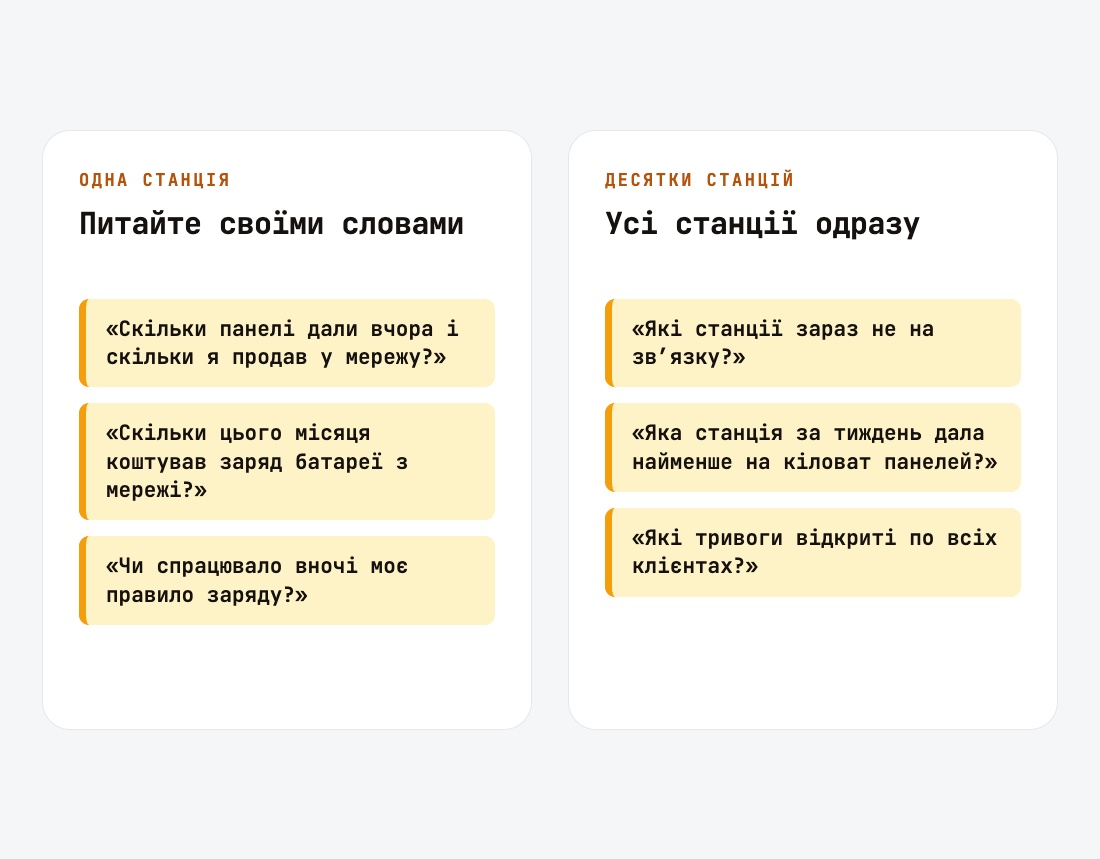
If you have one station
Svitgrid connects to assistants that let you add a custom connector: ChatGPT, Claude, and also Gemini, Grok and Le Chat. You then ask in any language, and the assistant looks the answer up in your station's data.
"How much did the panels make yesterday, and how much did I sell to the grid?" "What did charging the battery from the grid cost this month?" "Did my night charging rule run?" "Why has the inverter sent nothing since this morning?" Money is worked out at the tariff you set in the app.
If you look after dozens
An installer or a service company checks every station one by one each morning. With fleet access, the assistant sees every station in the organisation at once.
"Which stations are offline right now?" The assistant tells a silent station apart from one whose owner paused monitoring. "Which stations are at risk?" Those with a critical alert, a data collection error, or a low battery ahead of a scheduled outage. "Which station made the least per kilowatt of panels this week?" The assistant compares stations by yield per kWp and names those with missing days. "Which alarms are open across all customers?"
The organisation grants fleet access, and you allow it separately for the assistant when you connect. It is offered to verified assistants only: Claude and ChatGPT.
An installer can also prepare changes for many stations at once. Each request is approved by an owner or admin of that station, and the first answer decides. Such a request waits up to 24 hours for an answer.
The Organization plan →Changes only after you approve them
The assistant can do more than answer: it can propose a change, such as switching the inverter's work mode, setting a charge slot, applying a rule or turning on a smart plug. For that, you allow it separately to send change requests when you connect.
The assistant itself changes nothing. You get a notification, see every change in the Svitgrid app, and approve or reject the whole request. Your phone carries the changes out. Neither the assistant nor our server holds the key that signs them. A request with no answer expires after 15 minutes.
What can be proposed depends on your inverter. It needs app version 1.0.254 or newer.
How to connect
In the assistant's settings, add a custom connector with the address https://api.svitgrid.app/mcp. The Svitgrid sign-in page opens: sign in as you do in the app, check the list of stations and tap Allow. There is no key or password to paste.
Every change in the app and the firmware, line by line.
Open the changelog →