Svitgrid now works with Eveus chargers
An EV charger is the biggest load in a home. Svitgrid now sees Eveus chargers: it shows what the charger draws, sets its current, and pauses charging by rules you set.
 Ivan UrsulSvitgrid developer
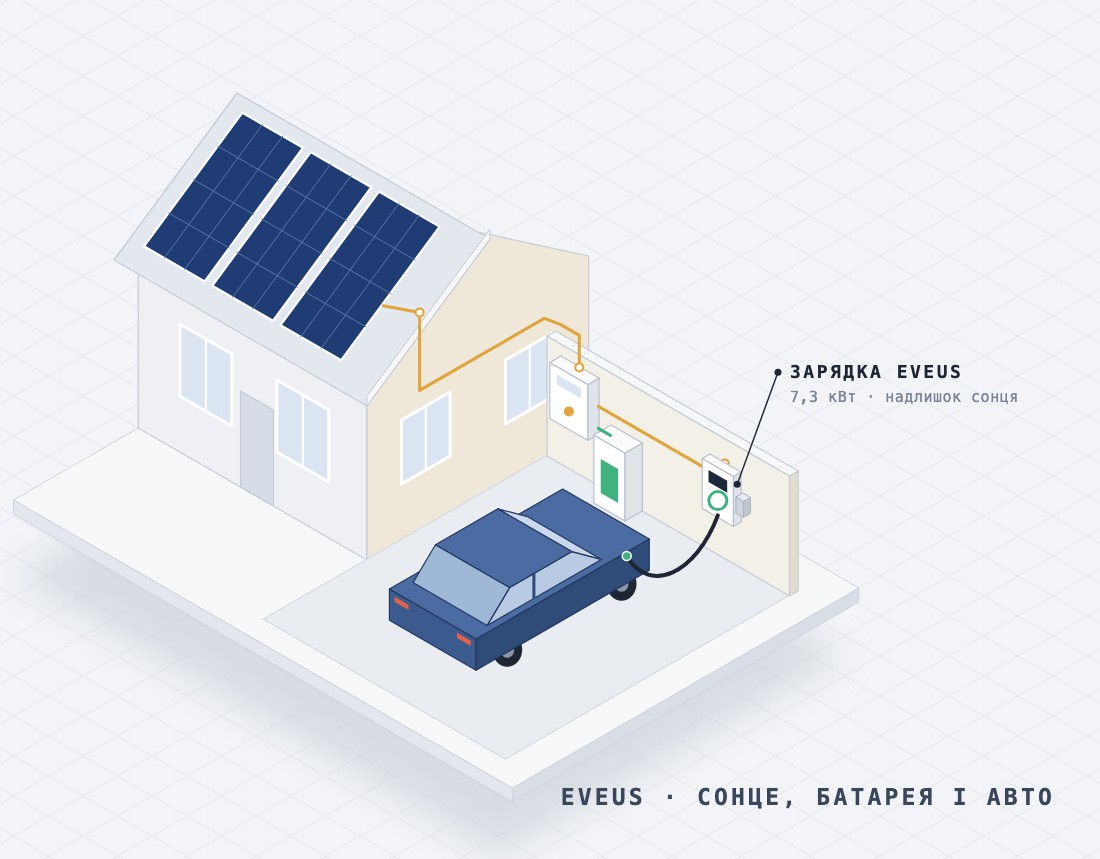
Why a charger belongs in Svitgrid
A single-phase Eveus charger at 32 A draws more than 7 kW. That is more than a water heater, a washing machine and a dishwasher together. It can empty a 10 kWh home battery in about an hour and a half, and if the grid goes down meanwhile, the car takes the energy you kept for the house.
Until now Svitgrid saw such a charger only as part of the house load. Now it talks to Eveus chargers directly: it shows what the charger is doing, and controls it from the phone and by rules. Eveus support arrived in Svitgrid 1.0.243.
Adding the charger
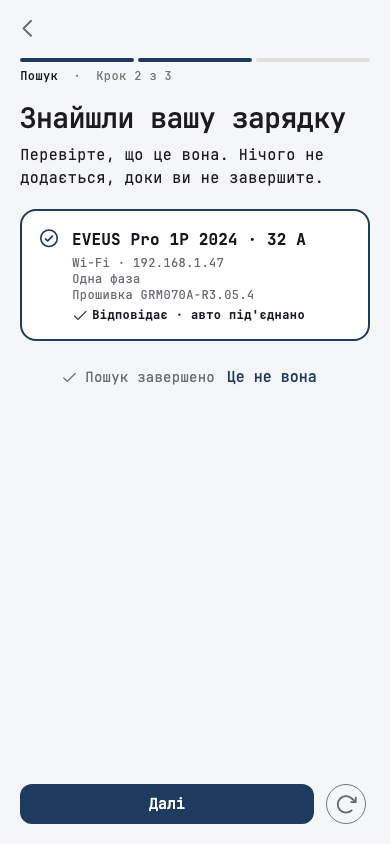
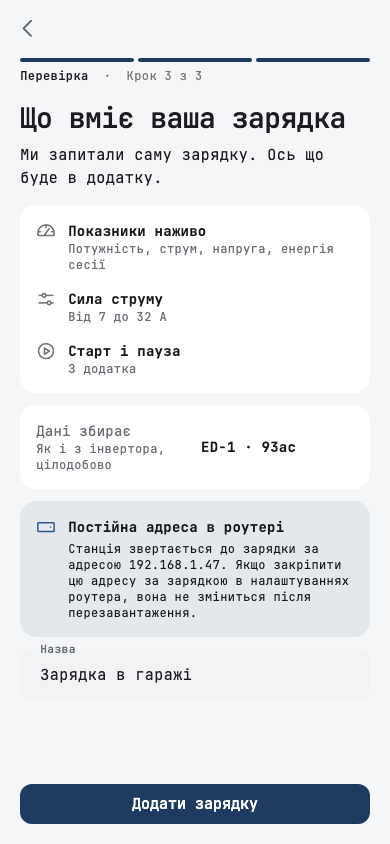
Open Smart devices, add a device, and choose an Eveus charger. The phone checks the addresses on your Wi-Fi network and finds the charger within a minute. You do not pick a model: Svitgrid asks the charger what it can do, and shows you that before you add it.
You do not need an inverter for this: the charger joins the station on its own. If the search finds nothing, you can type the address. One more tip: reserve the charger's address in your router settings, so it does not change after a restart.
What you see and what you control
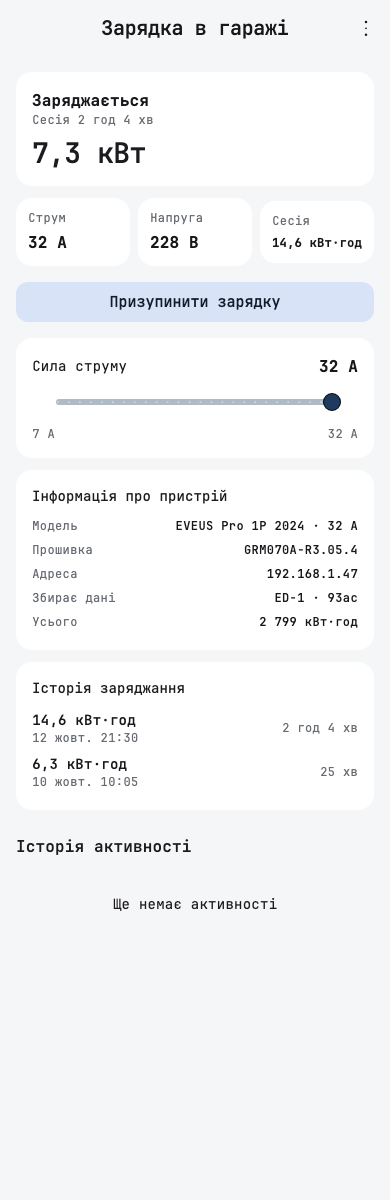
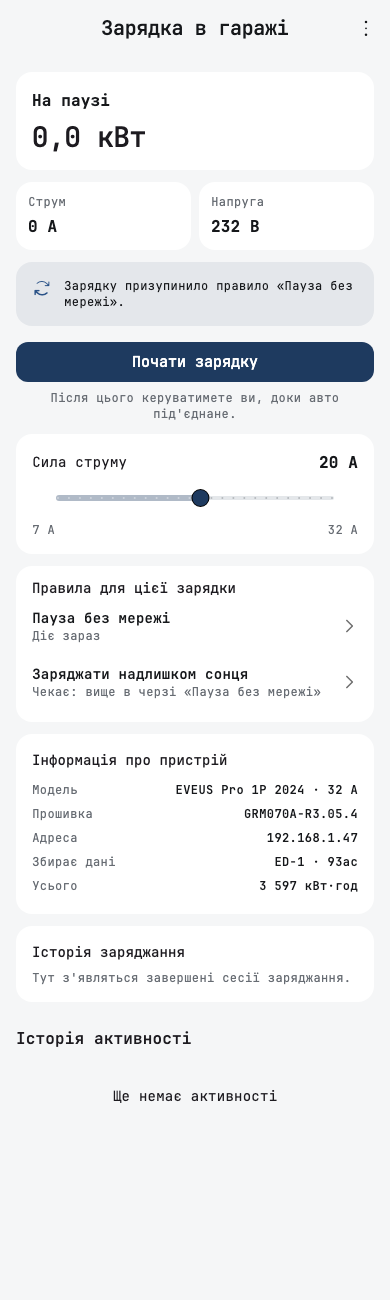
While the car charges, the charger screen shows the power, current, voltage and the energy of the current session. Below that are the model, the firmware, the charger's lifetime total and the history of finished sessions.
A slider sets the current, from 7 A up to your charger's maximum. A lower current means slower charging and less load on the inverter. One button pauses charging or allows it again. After such a tap you are in control for as long as the car stays plugged in, and rules leave the charger alone.
When the Eveus app is in control
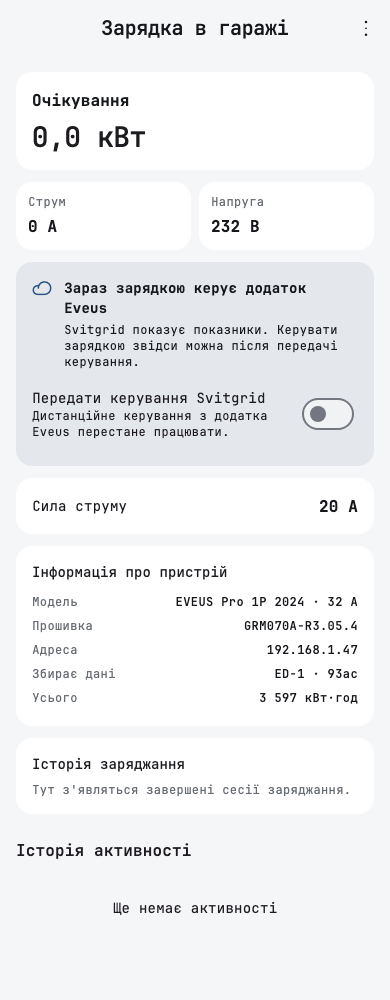
Many chargers are connected to the Eveus cloud, and then they ignore commands from other apps. Svitgrid notices this: it shows the readings and the current limit you set in the Eveus app, and offers to switch control. One switch on the charger screen hands control to Svitgrid. After that, remote control from the Eveus app stops working.
Rules and calendar events
The most useful part starts when rules control the charger. A rule or a professional calendar event has a charger action: pause, allow charging, set the current, or charge from solar surplus. For solar surplus you set a battery reserve, and the charger takes energy only once the home battery is charged to that level.
For example, a "Pause without grid" rule stops charging as soon as the grid goes down, and allows it again when the grid returns. A second rule charges the car from solar surplus during the day. The charger screen lists every rule that concerns it, and which one is acting now. When a condition stops holding, the charger goes back to the state it was in.
Without your rule, event or tap, Svitgrid leaves the charger alone. The app creates no rules by itself: you decide what happens and when.
On the main screen and in reports
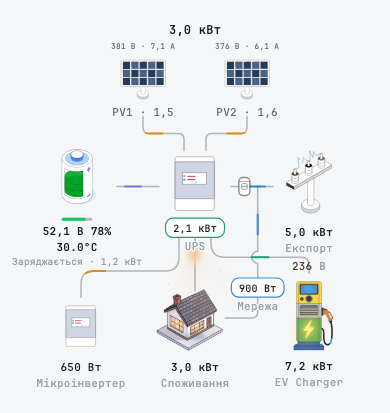
The charger appears on the energy flow chart next to the inverter and the house. A tap opens a card with its state, readings and a pause button. Reports count the charger's energy separately, so you can see how much went to the car each month.
Who talks to the charger
The charger is reached by the same device that collects your station's data, so there is nothing to choose. It has to be on the same Wi-Fi network as the charger.
If a phone collects your station's data, everything works from version 1.0.243. The ED-1 board talks to the charger from firmware 2.161.1: you can add the charger now, and the board starts controlling it after the update. Until then the app says the command is waiting for the device to update. Stations on Home Assistant get support with an update of the Svitgrid integration.
Every change in the app and the firmware, line by line.
Open the changelog →